

Troubleshooting Redis Connection Pool Exhaustion in Node.js Applications
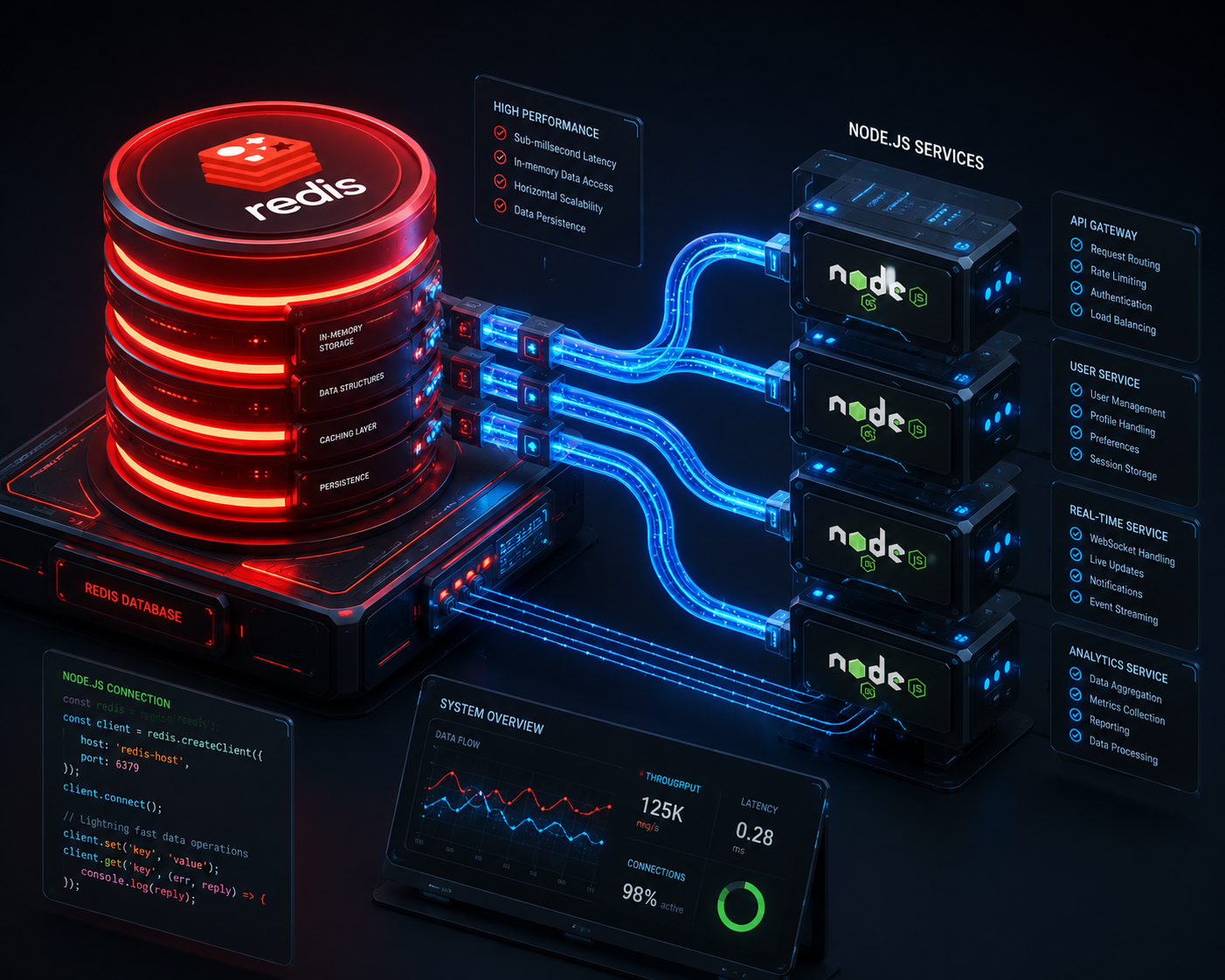
The Root Cause: Why Redis Exhaustion Happens
Unlike standard relational databases (such as PostgreSQL or MySQL) that heavily rely on traditional, long-lived server-side multi-threaded connection pools, Redis operates on a single-threaded event loop architecture. Every command sent to Redis is parsed sequentially.
In a Node.js framework, if your API endpoint initiates a brand-new Redis client instance instance on every incoming HTTP request—instead of reusing a centralized global network connection pipeline—the operating system quickly depletes its ephemeral TCP ports.
When your script execution loop drops connections without calling an explicit disconnect sequence, those TCP sockets hang in a zombie TIME_WAIT state, crashing your upstream system throughput.
The Diagnostic Runbook
Before patching your architecture, verify whether the bottleneck is system-level or network-level by running the native Redis CLI diagnostics. Execute the following command on your hosting server instance:
redis-cli INFO clientsLook closely at the output parameter connected_clients. If this integer metric continuously climbs alongside traffic but never drops down when traffic decreases, you have a classic connection pool leak.
The Production Fix: Re-Architecting Client Singletons
To resolve this issue completely, prevent your modules from generating arbitrary initialization calls. Instead, leverage a structural Singleton Design Pattern using the modern ioredis or standard redis client framework.
Here is the optimized deployment setup blueprint to isolate and share a single network pipeline across your entire Node.js codebase:
import Redis from 'ioredis';

class RedisConnectionManager {
  constructor() {
    this.clientInstance = null;
  }

  // Retrieve the global established connection singleton cleanly
  getClient() {
    if (!this.clientInstance) {
      console.log('Initializing Secure Redis Network Pipeline...');

      this.clientInstance = new Redis({
        host: process.env.REDIS_HOST || '127.0.0.1',
        port: parseInt(process.env.REDIS_PORT || '6379'),
        // Configure explicit fallback retry strategies
        retryStrategy(times) {
          const delay = Math.min(times * 50, 2000);
          return delay;
        },
        maxLoadingRetryTime: 10000,
      });

      // Bind basic global lifecycle listener handles
      this.clientInstance.on('error', (err) => {
        console.error('Critical Database Pipeline Exception:', err);
      });
    }
    return this.clientInstance;
  }
}

// Export a single frozen reference of the manager container
const RedisManagerInstance = new RedisConnectionManager();
Object.freeze(RedisManagerInstance);

export default RedisManagerInstance;
Integrating the Instantiated Pipeline inside Express Endpoints
Instead of calling new Redis() inside your core controller logics, import your clean connection manager instance straight into your operational middleware blocks:
import express from 'express';
import RedisManager from './RedisConnectionManager.js';

const app = express();
const redisClient = RedisManager.getClient();

app.get('/api/v1/data-cache', async (req, res) => {
  try {
    // Reuses the exact same active TCP socket safely
    const cachePayload = await redisClient.get('production_dashboard_payload');

    if (cachePayload) {
      return res.status(200).json({ source: 'cache', data: JSON.parse(cachePayload) });
    }

    return res.status(404).json({ message: 'Resource Target Not Populated' });
  } catch (error) {
    return res.status(500).json({ error: 'Internal Server Subsystem Error' });
  }
});
By transitioning your infrastructure into a single-socket or cluster pooling ecosystem, your application layout drastically scales down system resource usage, ensuring low-latency operations under heavy user distribution loops. For More Information click here
Hello http://vorawire.com,
I hope you’re doing well. I came across your business online and thought you might be interested in improving your visibility and traffic on search engines.
We specialize in helping businesses strengthen their online presence through effective SEO strategies.
Once you share your target keywords and target market, I’ll send a full proposal.
Warm regards,
Ananya