

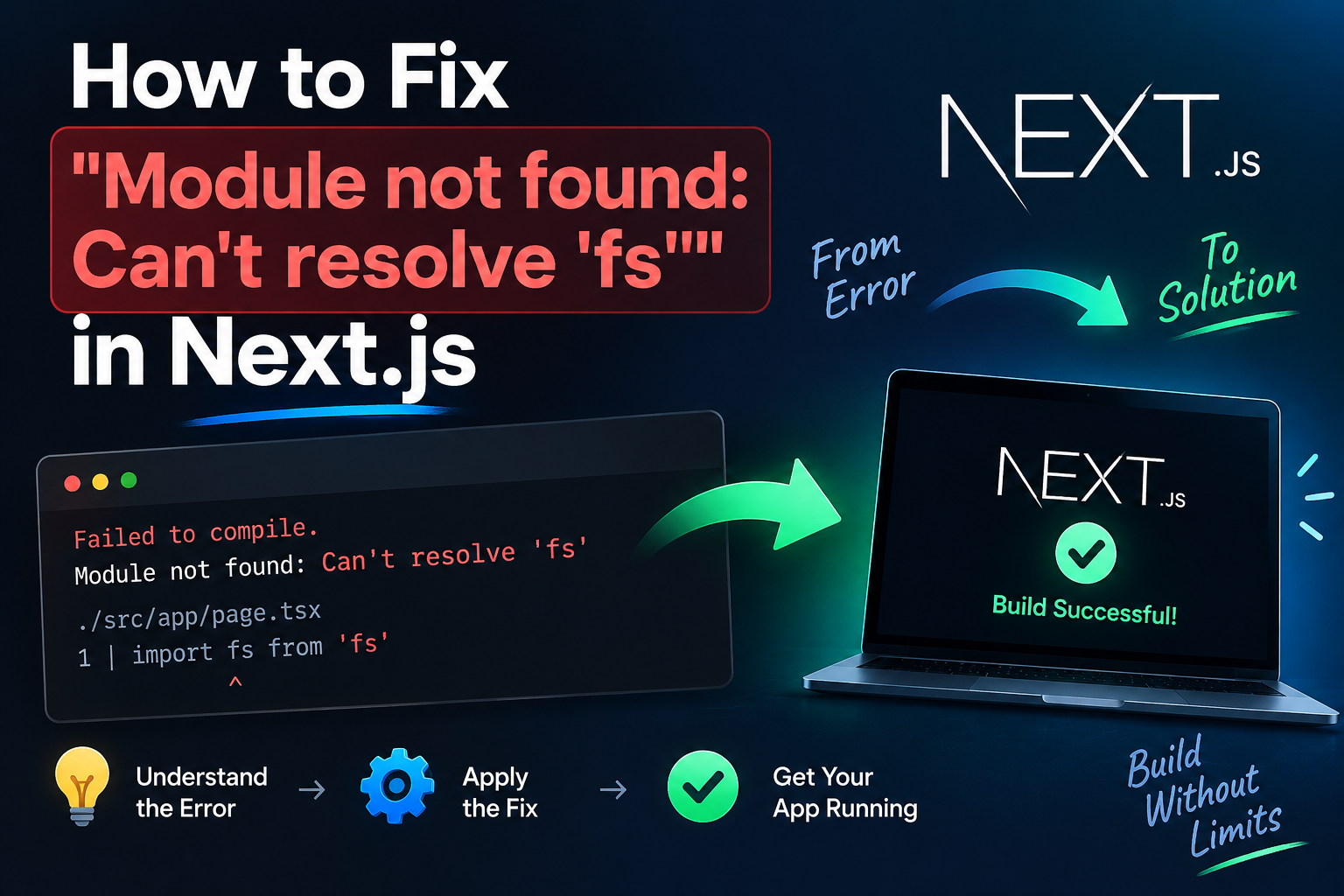
OpenAI SSE Streaming Timeout Cloudflare [2026 SOLVED]
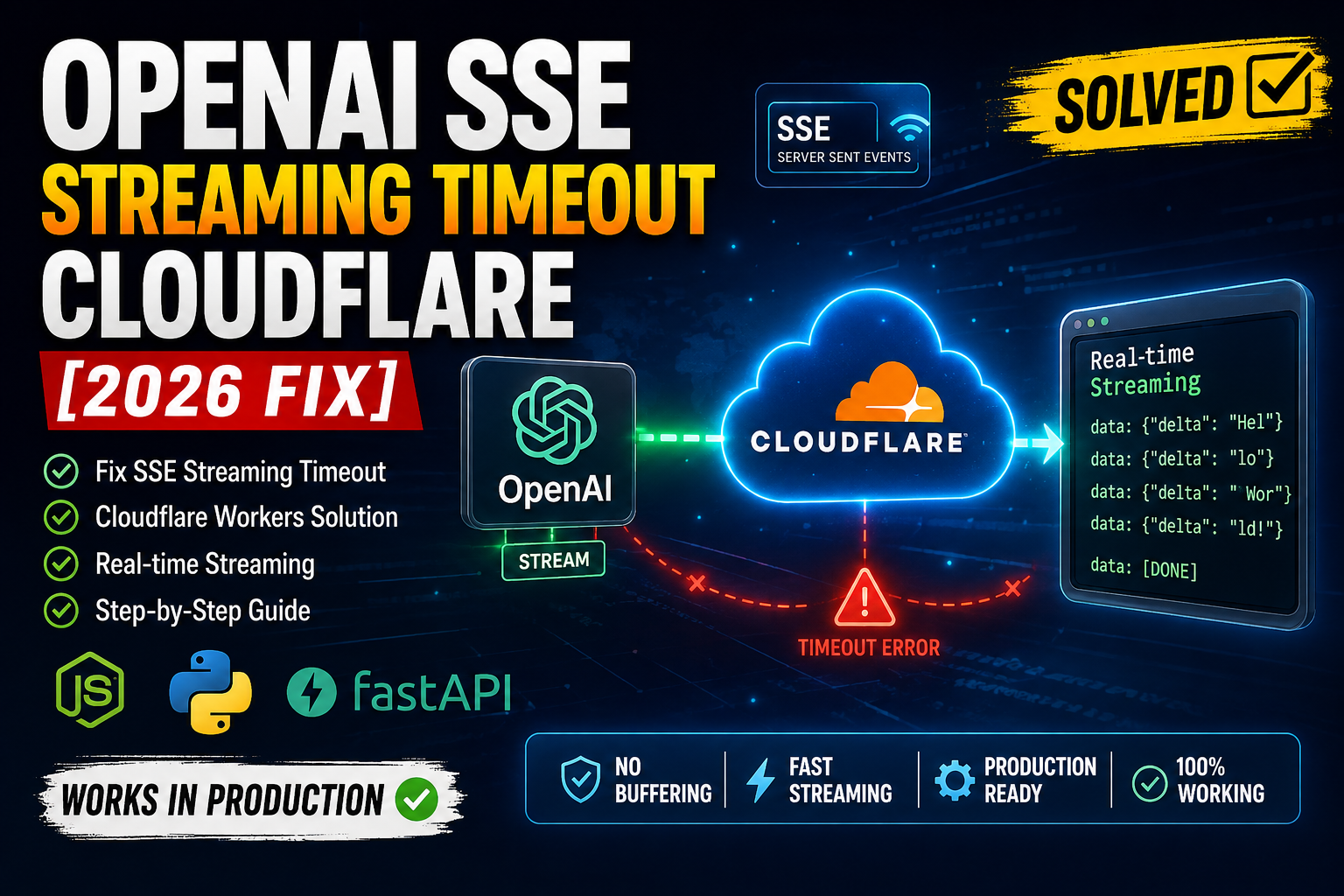
Quick Resolution (TL;DR):
If OpenAI streaming works locally but times out behind Cloudflare Workers, the problem is usually the edge request lifecycle, buffering, or an upstream connection that does not continuously deliver data. Use the OpenAI streaming API with a Web Streams response, disable unnecessary buffering, send SSE headers immediately, and make sure your application does not wait for the entire OpenAI response before returning data to the client.
export default {
  async fetch(request, env) {
    const response = await fetch("https://api.openai.com/v1/responses", {
      method: "POST",
      headers: {
        "Authorization": `Bearer ${env.OPENAI_API_KEY}`,
        "Content-Type": "application/json"
      },
      body: JSON.stringify({
        model: "gpt-5",
        input: "Explain Cloudflare Workers in one paragraph.",
        stream: true
      })
    });

    return new Response(response.body, {
      status: response.status,
      headers: {
        "Content-Type": "text/event-stream",
        "Cache-Control": "no-cache",
        "Connection": "keep-alive"
      }
    });
  }
};
The critical point is that streaming must remain streaming all the way from OpenAI → Worker → browser. Converting the upstream response into JSON with await response.json() defeats SSE and can cause long-running requests to hit timeouts.
What Causes OpenAI SSE Streaming Timeout Cloudflare?
An OpenAI SSE streaming timeout in Cloudflare Workers or Edge Functions normally occurs when the connection between the client, Cloudflare, and OpenAI is not handled as a continuous stream.
A typical architecture looks like this:
Browser
   │
   │ SSE / fetch()
   ▼
Cloudflare Worker
   │
   │ HTTPS streaming request
   ▼
OpenAI API
The Worker has to forward chunks as they arrive.
A common implementation accidentally changes the architecture to:
Browser
   │
   ▼
Cloudflare Worker
   │
   ├── Wait for OpenAI
   │
   ├── Buffer entire response
   │
   └── Return JSON
   ▼
Browser
That defeats the purpose of SSE.
Common causes include:
- Calling
await response.json()on a streaming response. - Reading the complete response before returning it.
- Incorrect
Content-Typeheaders. - Proxy or CDN buffering.
- Application-level idle timeouts.
- Long periods where the upstream produces no data.
- Incorrect SSE framing.
- Trying to use Node.js-specific streaming APIs inside an edge runtime.
- Mixing OpenAI SDK code designed for Node.js with a Workers runtime.
- Returning a response only after the OpenAI stream has completely finished.
- Client-side code expecting normal JSON instead of SSE events.
How to Fix OpenAI SSE Streaming Timeout Cloudflare
Step 1: Enable Streaming in the OpenAI Request
The first requirement is to explicitly request a streaming response.
For the OpenAI Responses API, the request should include:
const response = await fetch(
  "https://api.openai.com/v1/responses",
  {
    method: "POST",
    headers: {
      "Authorization": `Bearer ${env.OPENAI_API_KEY}`,
      "Content-Type": "application/json"
    },
    body: JSON.stringify({
      model: "gpt-5",
      input: "Write a short explanation of SSE.",
      stream: true
    })
  }
);
The important property is:
stream: true
Without it, OpenAI returns a normal non-streaming response.
Why this matters
A normal API request behaves like:
Request → OpenAI processing → Complete response → Client
Streaming behaves more like:
Request
   ↓
OpenAI
   ↓
Chunk 1
   ↓
Chunk 2
   ↓
Chunk 3
   ↓
Chunk 4
   ↓
Complete
The Worker should forward those chunks instead of waiting for the final result.
Step 2: Return the OpenAI ReadableStream Directly
This is one of the simplest fixes for Cloudflare Workers.
Avoid this:
const data = await response.json();

return Response.json(data);
That code waits for the complete response.
Instead:
return new Response(response.body, {
  status: response.status,
  headers: {
    "Content-Type": "text/event-stream",
    "Cache-Control": "no-cache",
    "Connection": "keep-alive"
  }
});
The important part is:
response.body
response.body is a ReadableStream.
Cloudflare Workers can forward the stream without loading the entire response into memory.
Complete Worker example
export default {
  async fetch(request, env) {
    if (request.method !== "POST") {
      return new Response("Method Not Allowed", {
        status: 405
      });
    }

    const openaiResponse = await fetch(
      "https://api.openai.com/v1/responses",
      {
        method: "POST",
        headers: {
          "Authorization": `Bearer ${env.OPENAI_API_KEY}`,
          "Content-Type": "application/json"
        },
        body: JSON.stringify({
          model: "gpt-5",
          input: "Explain edge computing in simple terms.",
          stream: true
        })
      }
    );

    if (!openaiResponse.ok) {
      return new Response(
        await openaiResponse.text(),
        {
          status: openaiResponse.status,
          headers: {
            "Content-Type": "application/json"
          }
        }
      );
    }

    return new Response(openaiResponse.body, {
      status: 200,
      headers: {
        "Content-Type": "text/event-stream",
        "Cache-Control": "no-cache",
        "Connection": "keep-alive"
      }
    });
  }
};
What this code does
- Accepts the client’s POST request.
- Sends the request to OpenAI.
- Enables streaming.
- Checks for upstream errors.
- Takes the OpenAI
ReadableStream. - Returns that stream immediately to the browser.
There is no:
await openaiResponse.json()
between OpenAI and the client.
Step 3: Use Proper SSE Headers
SSE clients expect a specific response format.
At minimum, return:
Content-Type: text/event-stream
Cache-Control: no-cache
Connection: keep-alive
In a Worker:
const headers = {
  "Content-Type": "text/event-stream",
  "Cache-Control": "no-cache",
  "Connection": "keep-alive"
};
Then:
return new Response(stream, {
  headers
});
Why text/event-stream matters
If your Worker responds with:
Content-Type: application/json
the browser may treat the response as a normal HTTP payload rather than an SSE stream.
For an SSE endpoint, use:
Content-Type: text/event-stream
Step 4: Do Not Buffer the OpenAI Response
A very common mistake is manually consuming the entire stream:
const reader = response.body.getReader();

let result = "";

while (true) {
  const { done, value } = await reader.read();

  if (done) break;

  result += new TextDecoder().decode(value);
}

return new Response(result);
This defeats streaming.
The browser receives nothing until this finishes:
OpenAI
  ↓
Worker receives chunks
  ↓
Worker stores chunks
  ↓
Worker waits
  ↓
Worker sends everything
  ↓
Browser
Instead, forward the stream:
return new Response(response.body, {
  headers: {
    "Content-Type": "text/event-stream",
    "Cache-Control": "no-cache"
  }
});
Now the flow is:
OpenAI
  ↓
Chunk
  ↓
Cloudflare Worker
  ↓
Browser

OpenAI
  ↓
Chunk
  ↓
Cloudflare Worker
  ↓
Browser
This dramatically reduces perceived latency.
Step 5: If You Need to Transform the Stream, Use TransformStream
Sometimes you need to inspect, modify, log, or reformat OpenAI events.
Use a Web Streams TransformStream instead of buffering everything.
const { readable, writable } = new TransformStream();

const writer = writable.getWriter();
const reader = openaiResponse.body.getReader();

const decoder = new TextDecoder();

(async () => {
  try {
    while (true) {
      const { value, done } = await reader.read();

      if (done) {
        break;
      }

      const chunk = decoder.decode(value, {
        stream: true
      });

      await writer.write(chunk);
    }
  } catch (error) {
    console.error("Streaming error:", error);
  } finally {
    await writer.close();
  }
})();

return new Response(readable, {
  headers: {
    "Content-Type": "text/event-stream",
    "Cache-Control": "no-cache",
    "Connection": "keep-alive"
  }
});
This allows you to process the stream while still forwarding data incrementally.
For simple proxying, however, do not add unnecessary stream-processing code. Returning response.body is usually cleaner.
Step 6: Make Sure the Client Actually Reads the Stream
Fixing the Worker is only half the solution.
Your browser application also needs to consume the streaming response correctly.
For a POST request, fetch() is often more appropriate than EventSource, because the native EventSource API is designed around GET requests.
Example:
const response = await fetch("/api/chat", {
  method: "POST",
  headers: {
    "Content-Type": "application/json"
  },
  body: JSON.stringify({
    message: "Explain Kubernetes."
  })
});

if (!response.body) {
  throw new Error("Streaming is not supported");
}

const reader = response.body.getReader();
const decoder = new TextDecoder();

while (true) {
  const { value, done } = await reader.read();

  if (done) break;

  const chunk = decoder.decode(value, {
    stream: true
  });

  console.log(chunk);
}
The browser now processes each chunk as it arrives.
Step 7: Handle SSE Events Correctly
SSE is not simply a sequence of arbitrary text chunks.
Events are normally framed like:
data: {"type":"response.output_text.delta","delta":"Hello"}

data: {"type":"response.output_text.delta","delta":" world"}

data: [DONE]
A TCP/HTTP chunk boundary does not necessarily equal an SSE event boundary.
For example, the browser could receive:
data: {"type":"response.out
followed by:
put_text.delta","delta":"Hello"}
Therefore, production clients should maintain a buffer and parse complete SSE events instead of assuming every reader.read() result is a complete event.
Step 8: Check Cloudflare Runtime Limits
Cloudflare Workers are not identical to traditional Node.js servers.
A long-running streaming request can be affected by:
- Worker execution/runtime constraints
- Request duration limits
- Connection behavior
- Platform-level timeouts
- Upstream API latency
- Client disconnects
- Idle periods
The exact limits depend on the Cloudflare product, plan, and runtime configuration, so verify the current Cloudflare Workers limits for your deployment before designing around a specific timeout value.
Do not assume that increasing a Node.js server timeout will solve an edge-runtime timeout.
For example, this Node.js configuration:
server.timeout = 0;
does not configure Cloudflare Workers.
Cloudflare Workers use a different runtime model.
Node.js vs Cloudflare Workers Streaming
If your application was originally written for Node.js, you may have code such as:
import { Readable } from "node:stream";
or:
res.setHeader("Content-Type", "text/event-stream");
res.flushHeaders();
Those APIs are not the correct abstraction for a Cloudflare Worker.
Cloudflare Workers use Web Platform APIs:
ReadableStream
Response
Request
fetch
TransformStream
A Worker-friendly implementation should therefore look like:
return new Response(stream, {
  headers: {
    "Content-Type": "text/event-stream"
  }
});
rather than relying on Node’s HTTP response APIs.
FastAPI / Python Edge Proxy Consideration
If your backend uses FastAPI, the normal pattern is:
from fastapi import FastAPI
from fastapi.responses import StreamingResponse

app = FastAPI()

@app.post("/chat")
async def chat():
    async def generate():
        yield "data: Hello\n\n"
        yield "data: World\n\n"

    return StreamingResponse(
        generate(),
        media_type="text/event-stream"
    )
This works well when the Python service is running in an environment designed for persistent HTTP streaming.
However, putting another proxy between FastAPI and the client introduces another streaming boundary:
Browser
   ↓
Cloudflare
   ↓
FastAPI
   ↓
OpenAI
Every layer must preserve the stream.
If any layer buffers the complete response, the user loses incremental output.
If your AI application uses FastAPI as the backend, it is important to structure the API layer correctly before adding Cloudflare to the streaming path. For a deeper implementation guide, see our tutorial on building a production-ready Python FastAPI AI backend, which covers the backend architecture and production considerations in more detail.
Debugging OpenAI SSE Timeout Step-by-Step
When streaming works locally but fails through Cloudflare, isolate each layer.
Test OpenAI directly
Use curl:
curl https://api.openai.com/v1/responses \
  -H "Authorization: Bearer $OPENAI_API_KEY" \
  -H "Content-Type: application/json" \
  -d '{
    "model": "gpt-5",
    "input": "Say hello slowly.",
    "stream": true
  }'
If data arrives progressively, OpenAI streaming is working.
Test the Worker directly
Then call:
curl -N https://your-worker.example.workers.dev/api/chat
The -N option prevents curl from buffering output.
If chunks appear progressively:
data: ...

data: ...

data: ...
the Worker is forwarding the stream.
Compare with the production domain
Finally test:
curl -N https://example.com/api/chat
If the Worker URL streams correctly but the production domain does not, investigate the additional proxy, CDN, routing, or application layer.
Common Mistakes That Cause Streaming Timeouts
Mistake 1: Calling response.json()
const data = await response.json();
This waits for the complete response.
For streaming:
return new Response(response.body);
Mistake 2: Using the Wrong Content Type
Bad:
"Content-Type": "application/json"
For SSE:
"Content-Type": "text/event-stream"
Mistake 3: Buffering All Chunks
Bad:
let output = "";

for await (const chunk of stream) {
  output += chunk;
}

return new Response(output);
This converts streaming into a normal response.
Mistake 4: Assuming Every Chunk Is an Event
This is unsafe:
reader.read().then(({ value }) => {
  JSON.parse(new TextDecoder().decode(value));
});
Network chunks can split an SSE event.
Maintain a parser buffer instead.
Mistake 5: Ignoring Client Disconnects
A user can close the browser while OpenAI is still generating output.
Your application should avoid unnecessary work after the client disconnects and should handle aborted requests where the runtime supports it.
Example:
const controller = new AbortController();

request.signal.addEventListener("abort", () => {
  controller.abort();
});

const response = await fetch(
  "https://api.openai.com/v1/responses",
  {
    method: "POST",
    signal: controller.signal,
    headers: {
      "Authorization": `Bearer ${env.OPENAI_API_KEY}`,
      "Content-Type": "application/json"
    },
    body: JSON.stringify({
      model: "gpt-5",
      input: "Explain SSE.",
      stream: true
    })
  }
);
This prevents unnecessary upstream work when the downstream connection has been cancelled.
Best Practices for Production OpenAI SSE
1. Keep the streaming path simple
Prefer:
Client
 ↓
Worker
 ↓
OpenAI
over unnecessary intermediary services.
2. Never expose your OpenAI API key
The key belongs on the server/Worker:
env.OPENAI_API_KEY
Never place it in browser JavaScript.
3. Monitor time-to-first-byte
For AI streaming applications, track:
- Request latency
- Time to first token
- Stream duration
- Number of generated tokens
- Client disconnects
- HTTP errors
- Upstream errors
- Timeout frequency
4. Avoid unnecessary buffering
Do not store the entire response in memory when the client only needs a stream.
5. Validate upstream status codes
Always check:
if (!response.ok) {
  // handle OpenAI error
}
before returning the stream.
6. Keep SSE responses uncached
Use:
Cache-Control: no-cache
AI-generated responses should generally not be treated like static CDN content.
7. Test with curl -N
Browser developer tools can make streaming behavior harder to diagnose.
Use:
curl -N https://your-domain.com/api/chat
to determine whether bytes are actually arriving progressively.
Recommended Production Architecture
For a Cloudflare-based AI application, a clean architecture is:
                  ┌──────────────────┐
                  │     Browser      │
                  └────────┬─────────┘
                           │
                     HTTPS / SSE
                           │
                           ▼
                  ┌──────────────────┐
                  │ Cloudflare Worker│
                  └────────┬─────────┘
                           │
                    Streaming fetch
                           │
                           ▼
                  ┌──────────────────┐
                  │    OpenAI API    │
                  └──────────────────┘
The Worker should act as a lightweight authentication and streaming proxy rather than a response buffer.
The ideal data path is:
OpenAI chunk
     ↓
Worker
     ↓
Browser
not:
OpenAI chunks
     ↓
Worker memory
     ↓
Complete response
     ↓
Browser
Once the streaming API is working correctly, the next step is deploying the complete AI application without introducing another buffering or timeout layer. If you are preparing the application for production, our complete guide to deploying an AI web app covers the deployment process and the infrastructure considerations you should check before going live.
Final Checklist
If you are seeing an OpenAI SSE streaming timeout in Cloudflare Workers, check these items in order:
- OpenAI request has
stream: true. - Worker does not call
response.json(). - Worker does not buffer the complete response.
-
response.bodyis returned as aReadableStream. - Response uses
text/event-stream. - Client reads
response.body. - SSE events are parsed using buffering.
- No intermediary proxy buffers the response.
- Cloudflare runtime limits match the expected stream duration.
- OpenAI API errors are handled separately.
- Client disconnects are handled.
- API keys remain server-side.
- Production behavior is tested with
curl -N.
Frequently Asked Questions (FAQ)
Why does OpenAI streaming work locally but timeout on Cloudflare?
The local server may allow a long-lived HTTP connection while the Cloudflare deployment has different runtime and request-lifecycle constraints. Also check whether your Worker or another proxy is buffering the OpenAI response instead of forwarding chunks immediately.
Does await response.json() break OpenAI streaming?
Yes. response.json() waits for the complete response body. If your goal is real-time streaming, consume or forward the ReadableStream instead.
Should I use EventSource or fetch for OpenAI streaming?
For a simple GET-based SSE endpoint, EventSource is convenient. For AI chat requests that need a POST body containing the user’s prompt and model parameters, fetch() with response.body is usually more flexible.
Conclusion
The most important rule when debugging OpenAI SSE streaming timeout Cloudflare problems is simple: do not turn a stream into a buffered response.
Request streaming from OpenAI, preserve the ReadableStream inside the Worker, return text/event-stream, and make the client consume the response incrementally. Once every layer preserves the streaming connection, most “works locally but times out on Cloudflare” problems become much easier to isolate.
For production systems, also verify the current Cloudflare Workers limits and your specific deployment configuration rather than relying on timeout values from a traditional Node.js server.

3 thoughts on “OpenAI SSE Streaming Timeout Cloudflare [2026 SOLVED]”