

How to Fix ERR PNPM RECURSIVE EXEC FIRST FAIL in Turborepo AI Monorepos
Quick Resolution (TL;DR):
If you’re seeing ERR_PNPM_RECURSIVE_EXEC_FIRST_FAIL in a Turborepo AI monorepo, the failing package is almost never the real problem. This error is pnpm’s wrapper indicating that one workspace command exited with a non-zero status. Run the failing command inside the affected package, verify workspace dependencies, clear the pnpm store if necessary, and confirm your Node.js and pnpm versions match across the repository.
pnpm -r --stream run buildThe --stream flag prints logs from every workspace package, making it much easier to identify the package that actually failed.
What Causes ERR_PNPM_RECURSIVE_EXEC_FIRST_FAIL?
ERR_PNPM_RECURSIVE_EXEC_FIRST_FAIL is not a standalone error. It is a recursive execution failure generated by pnpm whenever a command executed across multiple workspace packages stops because one package exits with an error.
This commonly happens in AI-powered Turborepo monorepos where multiple services are built simultaneously, including:
- Next.js frontend
- FastAPI inference service
- Node.js API
- Shared TypeScript packages
- Dockerized microservices
Typical root causes include:
- Missing workspace dependencies
- Incorrect
workspace:*package references - TypeScript compilation failures
- Missing environment variables
- Node.js version mismatch
- Broken Turborepo task pipeline
- Failed postinstall scripts
- Docker volume caching issues
- Corrupted pnpm store
The important point is that ERR_PNPM_RECURSIVE_EXEC_FIRST_FAIL is only the messenger. The actual error appears a few lines earlier in the console output.
How to Fix ERR_PNPM_RECURSIVE_EXEC_FIRST_FAIL (Step-by-Step)
Step 1: Identify the Real Package That Failed
Instead of rerunning the entire workspace blindly, stream the logs.
pnpm -r --stream run buildor
pnpm --recursive --stream run devExample output:
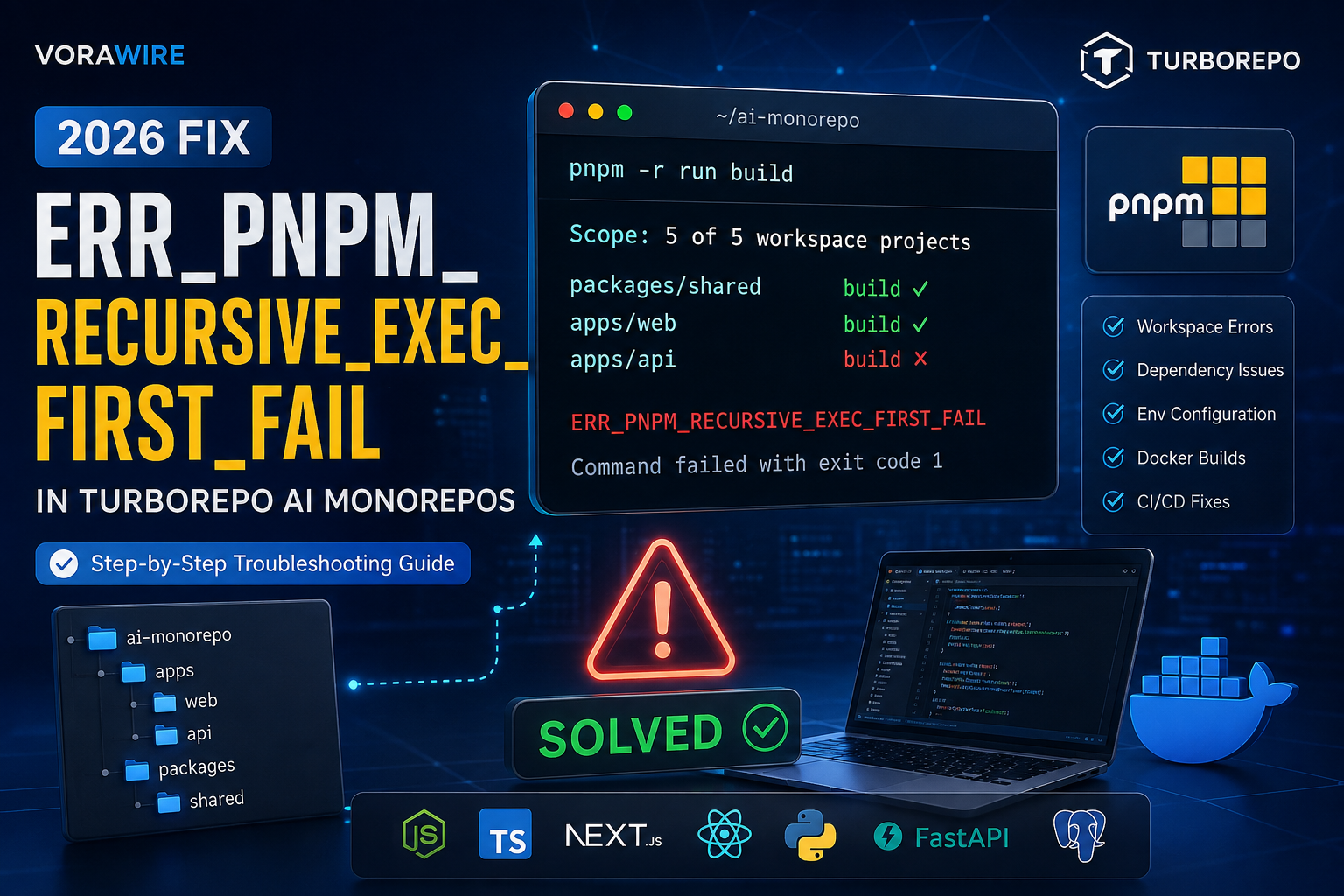
packages/shared build ✓

apps/web build ✓

apps/api build ✗

Error:
Cannot find module '@ai/shared'
In this example:
apps/websucceededpackages/sharedsucceededapps/apiactually failed
The recursive error simply reports the first package that exited unsuccessfully.
Step 2: Run the Command Inside the Failing Workspace
Move into the package that failed.
cd apps/api

pnpm run build
This exposes the original error without the recursive wrapper.
Common examples include:
Cannot find moduleTypeScript compilation failedModule not foundPrisma generate failedMissing environment variableAlways solve the local package error first.
Step 3: Verify Workspace Dependencies
Incorrect workspace references frequently trigger recursive failures.
Example:
{
  "dependencies": {
    "@repo/shared": "workspace:*"
  }
}
Verify that:
- package names match exactly
- folder names are correct
- workspace protocol is used properly
Check all workspaces:
pnpm list -rIf packages are missing, reinstall.
pnpm installStep 4: Check Your Node.js and pnpm Versions
Mixed Node versions often break AI monorepos.
Check versions.
node -v

pnpm -v
Recommended example:
Node.js 22 LTS

pnpm 10.x
If using nvm:
nvm useOr create a project version file.
.nvmrc

22
Keeping every developer and CI runner on the same version prevents inconsistent builds.
Step 5: Remove Corrupted Dependencies
Sometimes lockfiles or cached packages become inconsistent.
Delete all dependencies.
rm -rf node_modulesRemove workspace modules.
find . -name node_modules -type d -prune -exec rm -rf {} +Delete the lockfile if necessary.
rm pnpm-lock.yamlReinstall.
pnpm installStep 6: Clean the pnpm Store
A corrupted package cache can repeatedly produce the same recursive failure.
Check the store.
pnpm store statusClean unused packages.
pnpm store pruneForce reinstall.
pnpm install --forceStep 7: Validate Turborepo Configuration
Review your turbo.json.
Example:
{
  "tasks": {
    "build": {
      "dependsOn": ["^build"],
      "outputs": [
        "dist/**",
        ".next/**"
      ]
    }
  }
}
Common mistakes include:
- circular dependencies
- incorrect outputs
- invalid task names
- missing dependency chain
Validate by running:
turbo run buildwithout Docker first.
Step 8: Check Environment Variables
AI applications commonly depend on environment variables.
Example:
OPENAI_API_KEY=xxxxx

DATABASE_URL=postgres://...

REDIS_URL=redis://...
Verify that each package receives the variables it requires.
In Turborepo:
turbo run build --env-mode=looseor configure environment variables explicitly inside your build pipeline.
Step 9: Rebuild Docker Without Cache
Inside Docker, cached layers often preserve broken installations.
Rebuild everything.
docker compose build --no-cacheRun again.
docker compose upA clean image eliminates stale node modules and outdated lockfiles.
Production Best Practices
To reduce ERR_PNPM_RECURSIVE_EXEC_FIRST_FAIL in production monorepos:
- Pin Node.js and pnpm versions across development and CI.
- Use
workspace:*instead of hardcoded local versions. - Enable dependency caching in CI while pruning stale packages regularly.
- Run
pnpm install --frozen-lockfileduring deployments. - Build packages independently before running full Turborepo pipelines.
- Validate environment variables before starting builds.
- Use TypeScript project references for shared libraries.
- Monitor failed build logs rather than relying on the recursive error alone.
- Keep lockfiles committed and synchronized.
- Regularly prune the pnpm store in CI runners.
Common CI/CD Example (GitHub Actions)
name: Build

on:
  push:

jobs:
  build:
    runs-on: ubuntu-latest

    steps:
      - uses: actions/checkout@v4

      - uses: pnpm/action-setup@v4
        with:
          version: 10

      - uses: actions/setup-node@v4
        with:
          node-version: 22
          cache: pnpm

      - run: pnpm install --frozen-lockfile

      - run: pnpm turbo run build
Why this works
- Uses a fixed pnpm version for reproducible builds.
- Pins Node.js to avoid version drift.
- Installs dependencies from the lockfile only.
- Executes the Turborepo pipeline consistently across environments.
Frequently Asked Questions (FAQ)
Is ERR_PNPM_RECURSIVE_EXEC_FIRST_FAIL the actual error?
No. It indicates that one workspace command failed during recursive execution. The underlying error is typically shown earlier in the logs and should be investigated first.
Why does this happen only in Turborepo?
Turborepo runs tasks across multiple packages concurrently. When one package exits with a non-zero status, pnpm stops the recursive process and reports ERR_PNPM_RECURSIVE_EXEC_FIRST_FAIL.
Can deleting node_modules fix this issue?
Yes, if the failure is caused by corrupted dependencies or an inconsistent lockfile. However, many cases stem from code errors, missing environment variables, or incorrect workspace configuration, so review the package logs before removing dependencies.
Final Thoughts
ERR_PNPM_RECURSIVE_EXEC_FIRST_FAIL is a high-level pnpm execution error, not the root cause of your build failure. In most Turborepo AI monorepos, the fastest troubleshooting workflow is to identify the failing workspace with --stream, run the command directly inside that package, verify workspace dependencies and environment variables, and ensure consistent Node.js and pnpm versions across local development, Docker, and CI/CD. Following this approach resolves the majority of recursive execution failures without unnecessary rebuilds or dependency resets.
Supabase vs Firebase (2026)


2 thoughts on “How to Fix ERR PNPM RECURSIVE EXEC FIRST FAIL in Turborepo AI Monorepos”